 微信登录
微信登录
 QQ登录
QQ登录


带定位孔圆形法兰连接结构设计
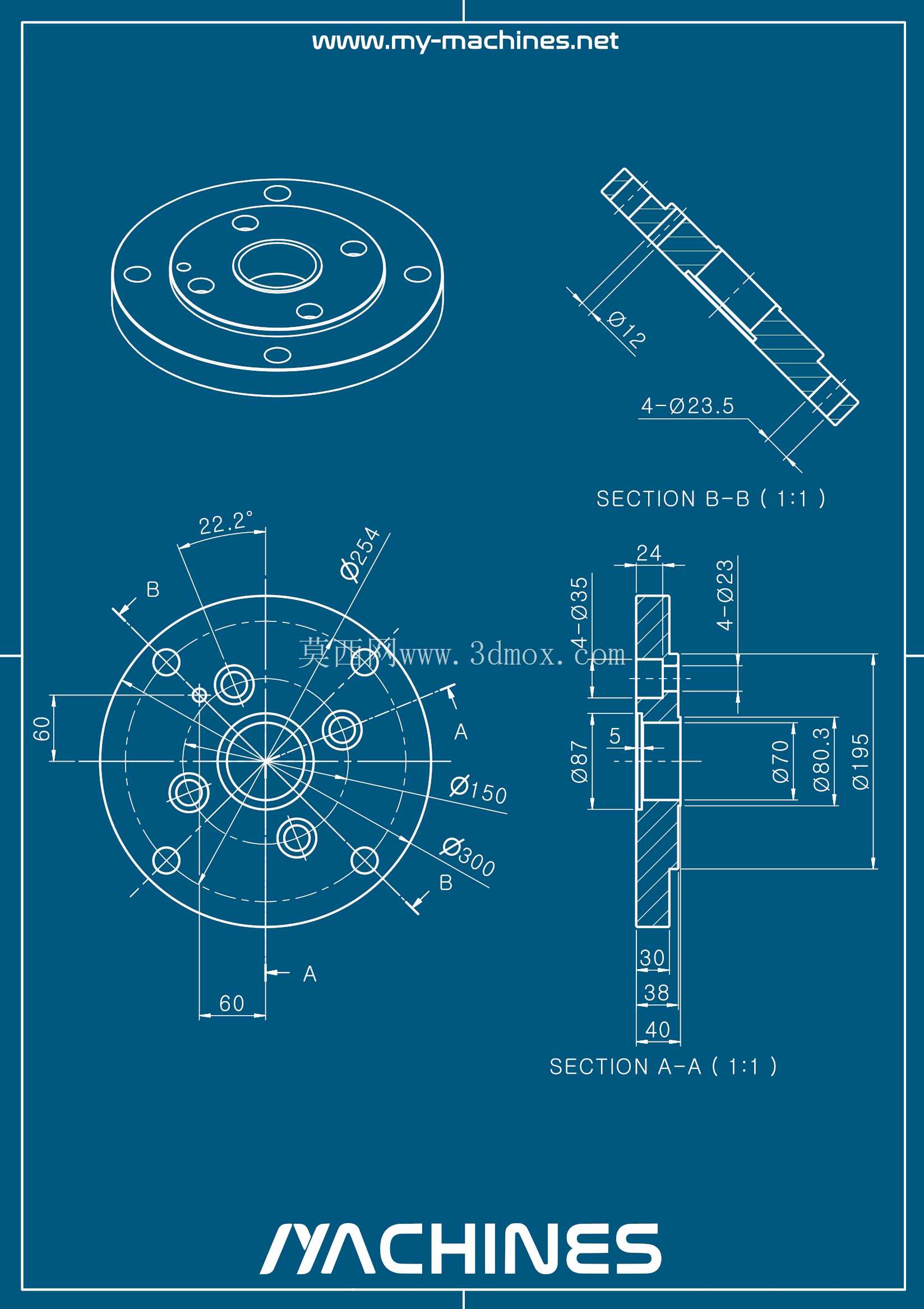
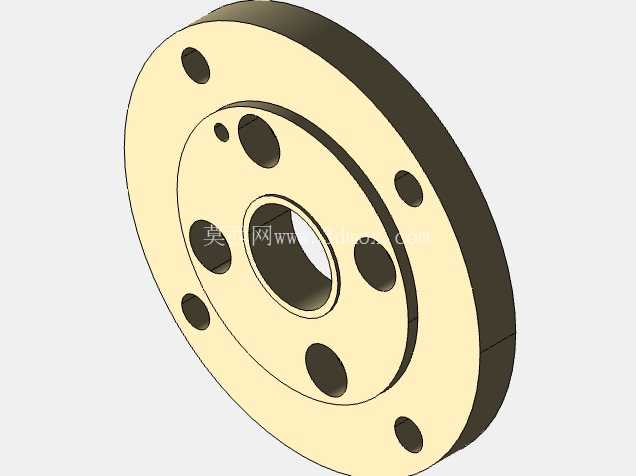
这类带多组定位安装孔的盘式法兰结构,在流体输送管路系统、回转主轴传动单元、压力容器端盖密封场景中应用极为广泛,是工业装配环节里实现刚性连接、介质密封、扭矩传递的核心基础零件。从实际工程使用场景来看,这类法兰常被用在中低压管路的对接位置,也可作为减速机输出端、泵体进出口、液压阀组安装面的连接载体,依靠端面的紧密贴合实现介质防漏,同时通过周向均匀布置的螺栓孔完成两个对接部件的刚性锁固,部分带台阶止口的法兰结构还能实现对接部件的同轴度定位,省去装配环节的反复找正工序。
从结构设计逻辑来看,该法兰采用中心通孔加周向螺栓孔的经典布局,中心通孔的尺寸匹配对接管路的通径或者传动轴的轴径,保证介质流通或者轴件穿过的空间不受干涉;周向均匀排布的螺栓孔数量、孔径大小根据额定工作压力、传递扭矩的大小计算确定,孔位的分度圆直径经过严格校核,既保证螺栓安装时有足够的扳手操作空间,又避免孔位距离法兰外缘过近导致边缘结构强度不足。法兰端面设置的密封槽结构,可适配O型密封圈或者金属缠绕垫片,当螺栓按照对角顺序拧紧到规定扭矩时,垫片被均匀压缩填充密封面的微观间隙,实现气体、液体介质的无泄漏密封,部分高压工况下使用的法兰还会在密封面位置加工水线纹路,进一步提升密封可靠性。
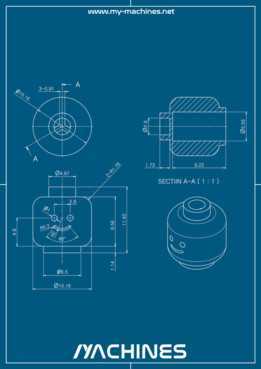
从尺寸与安装边界来看,该法兰的总厚度根据承压等级设计,厚度过小会导致螺栓拧紧时法兰发生翘曲变形,破坏密封面的平面度,厚度过大则会增加不必要的材料成本与整体重量;法兰外圆尺寸在覆盖所有螺栓孔分度圆的基础上,预留足够的边缘余量,避免安装受力后外缘出现开裂。两个方向的剖视图清晰展示了法兰的台阶结构,一侧的凸台结构可以嵌入对接部件的凹槽内,实现径向定位,保证对接后两个部件的同轴度误差控制在装配允许范围内,减少回转部件运行时的径向跳动。法兰背面的沉孔结构可以容纳螺栓头或者螺母,使安装后法兰背面保持平整,避免突出的紧固件与周边其他部件发生干涉,适配紧凑安装空间的使用需求。
在实际选型应用中,这类法兰需要根据对接部件的材质、工作环境温度、介质腐蚀特性选择对应的加工材料,普通水气管路场景常用铸铁或者普通碳钢加工,化工腐蚀场景则选用不锈钢或者衬塑材质,食品医药行业则会采用304或316L不锈钢并做表面抛光处理。建模过程中需要重点保证各孔位的位置度公差、两端面的平行度公差、密封面的平面度公差,这些形位公差直接影响最终的装配效果与密封性能,若孔位位置度超差,会出现螺栓无法穿入的问题,若端面平行度不足,拧紧螺栓后法兰会出现倾斜,导致密封面受力不均引发泄漏。周向布置的多个安装孔采用环形阵列的方式生成,保证各孔受力均匀,避免单个螺栓受力过大出现断裂失效。这类法兰结构虽然属于基础通用零件,但每一处尺寸的设计都需要结合实际工况的载荷计算,小到螺栓孔的倒角大小,大到法兰的整体外径,都直接影响整个连接系统的运行稳定性与使用寿命。
- 上一篇:四尖星型曲面练习结构造型
- 下一篇:双轮组带底座导向支撑轮结构

- 全部评论(0)

- 模板大小: 506.49 KB
- 售价:5金币
- 下载次数: 35
- 系统要求: FreeCAD,STEP / IGES,Rendering
- 软件分类: 通用机械零部件