 微信登录
微信登录
 QQ登录
QQ登录


带腰型槽安装位的折弯连接固定件
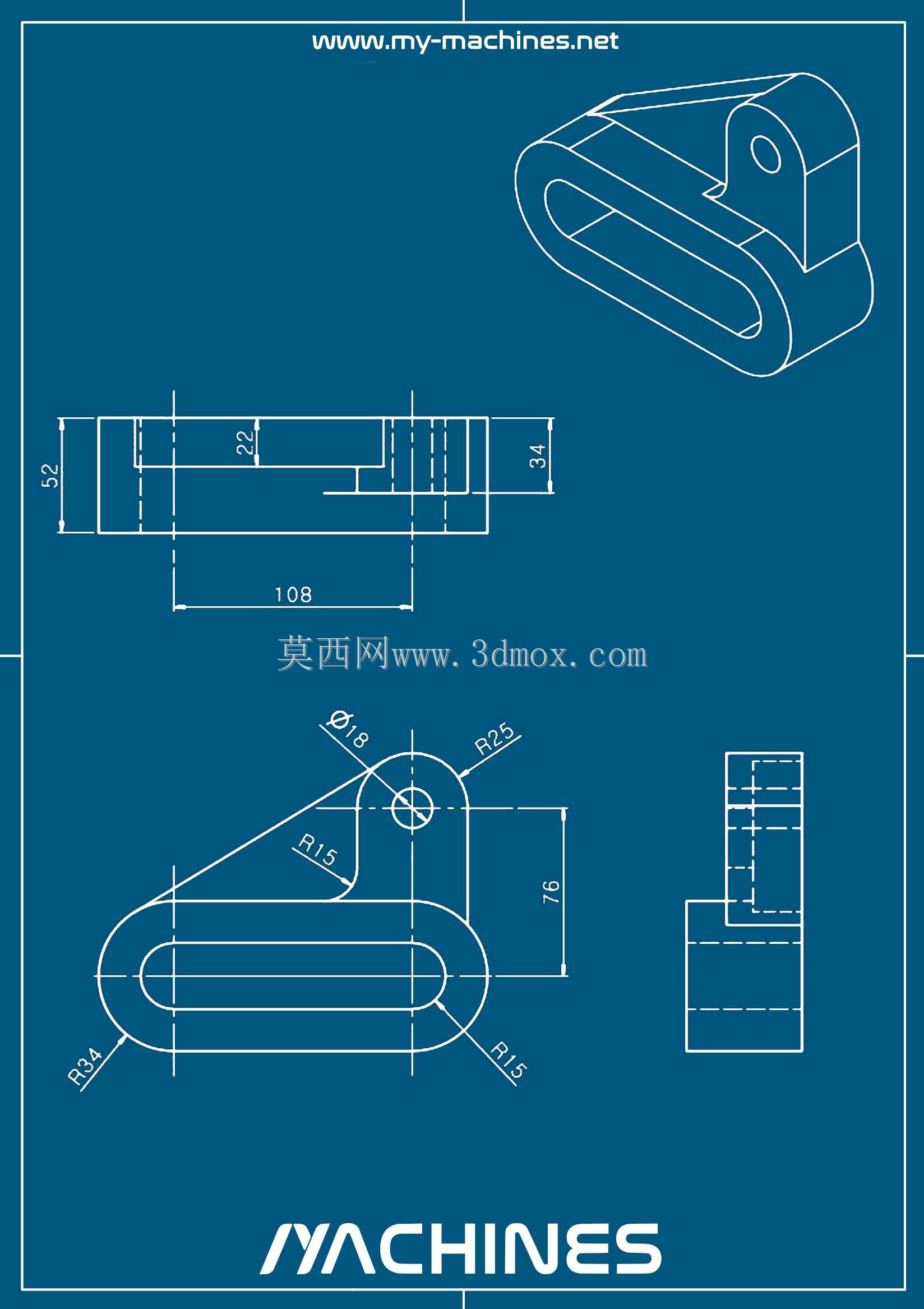
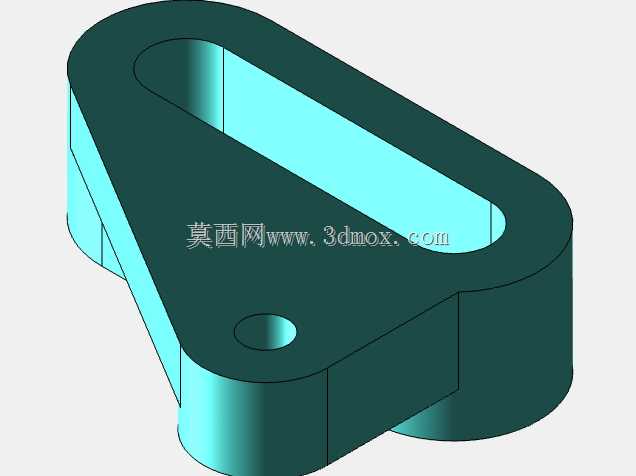
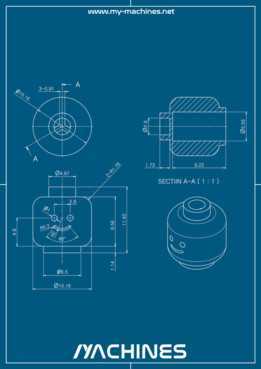
该零件属于小型设备连接固定类结构件,在各类轻工自动化设备、小型工装夹具、桌面级加工辅具中应用广泛,主要承担两个相对位置存在小幅调整需求的部件之间的连接承载作用,可抵消装配过程中产生的孔位偏差,也可在设备调试阶段实现连接件的位置微调,避免硬连接带来的装配应力集中问题。从结构设计逻辑来看,零件主体采用折弯成型思路,底部为平直安装面,开设长圆形腰型安装槽,槽体两端做R15圆弧过渡,既保证了安装时的位置调整余量,也避免了直角槽口带来的应力集中问题,腰型槽的长度方向与零件长度方向一致,调整行程覆盖常见的装配误差范围,可适配不同孔距的安装基座。
零件上部为带单圆孔的折弯立板,立板与底板之间通过圆弧过渡折弯连接,折弯处的R角取值兼顾了钣金折弯工艺的成型极限与结构强度需求,避免折弯处出现开裂或者强度不足的问题;立板上的圆孔用于穿装连接销轴或者紧固螺栓,孔位周边做了局部加厚的结构处理,提升孔位的抗挤压强度,避免频繁拆装或者长期承载下出现孔位变形。从尺寸边界来看,零件整体长度为108mm,底板宽度方向尺寸为34mm,立板高度方向尺寸为36mm,立板上的连接孔中心到底板安装面的垂直距离为76mm,腰型槽的宽度为18mm,所有外轮廓的非安装边均做了R3到R34不等的圆角处理,既消除了锐边带来的装配安全隐患,也优化了零件的应力分布路径。
在实际装配场景中,该零件可通过底部腰型槽用螺栓固定在设备型材框架或者安装平板上,上部立板的圆孔可连接摆杆、连杆类传动零件,也可直接固定传感器、小型气动元件等功能部件,腰型槽的调整量可补偿安装面的加工误差,也能满足设备调试时的位置校准需求。设计过程中充分考虑了常规加工工艺的适配性,整体结构可通过钣金下料、折弯、钻孔三道核心工序完成加工,无需复杂的成型模具,小批量生产时也可采用数控铣削方式加工实体结构,适配不同的生产批量需求。零件的折弯角度经过严格校核,保证立板与底板的垂直度满足装配要求,避免连接后出现部件偏斜的问题;所有孔位的位置度公差控制在合理范围内,既不会因为公差过严提升加工成本,也不会因为公差过松导致装配困难。
在承载能力方面,该结构可承受垂直于安装面方向的静载荷以及沿腰型槽方向的小幅动载荷,适用于低负载的传动连接或者部件固定场景,在小型输送线的挡料机构、桌面设备的调节支座、工装夹具的定位连接等场景下都能稳定发挥作用。结构上没有多余的冗余设计,所有型面和孔位都服务于安装连接与位置调整的核心功能,外形轮廓的圆角处理也兼顾了零件的外观质感,在裸露安装的场景下也不会显得突兀。
- 上一篇:带外螺纹接口的圆柱型密封容器结构
- 下一篇:多铰接式传动连杆曲柄结构设计

- 全部评论(0)

- 模板大小: 635.61 KB
- 售价:5金币
- 下载次数: 9
- 系统要求: STEP / IGES,FreeCAD,Rendering
- 软件分类: 通用机械零部件