 微信登录
微信登录
 QQ登录
QQ登录


带安装孔位的D型密封端盖结构设计
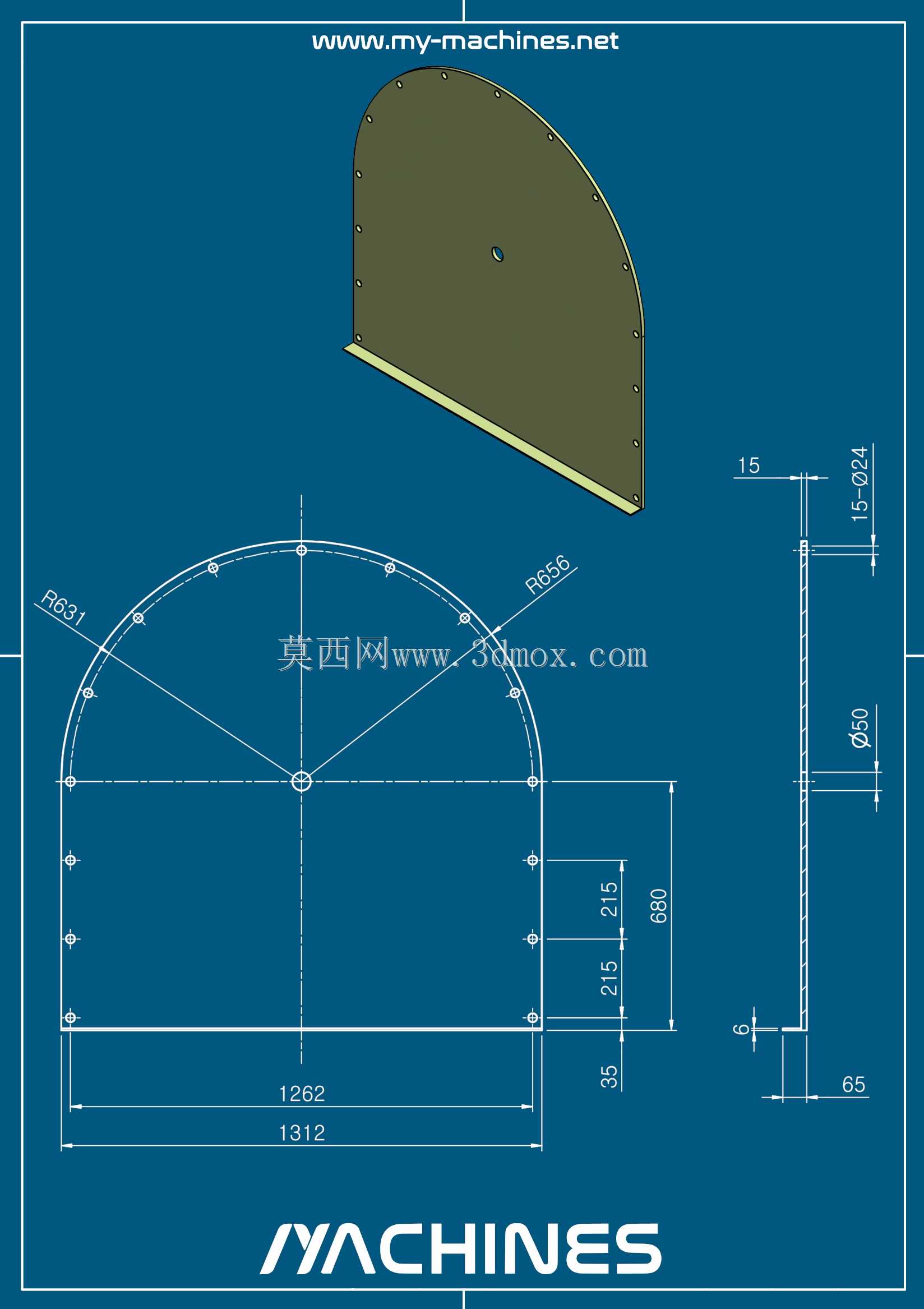
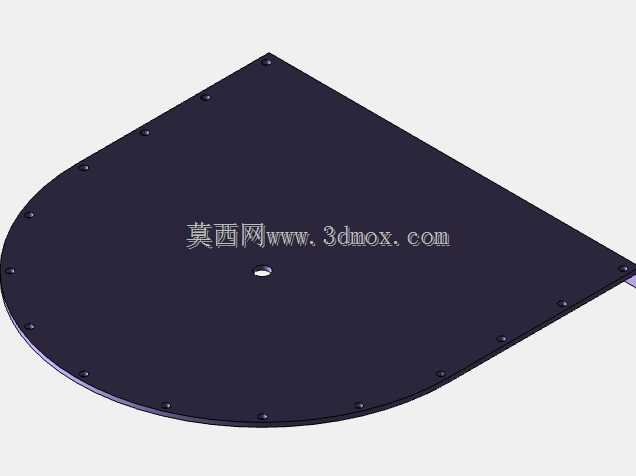
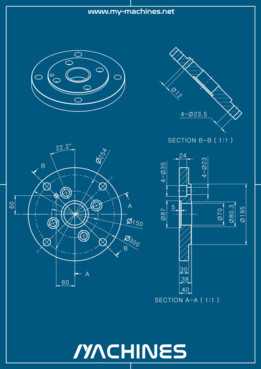
这款D型密封端盖结构,在工业设备的腔体密封、外露轴端防护场景中应用十分广泛,常见于各类动力传输箱体、流体管路终端、户外电气设备舱的端面封堵位置,核心作用是隔绝腔体内部与外部环境的介质交换,避免粉尘、水汽、切削液等杂质进入设备内部,同时对腔体内部的传动部件、电气元件形成物理防护,也能防止内部润滑脂、绝缘介质向外渗漏。从结构设计逻辑来看,整体采用直边加半圆的D型轮廓,区别于常规圆形端盖,直边部分可作为安装定位基准,在装配时能快速与设备腔体的对应直边贴合对位,避免端盖安装时出现周向转动错位,降低装配环节的对位调整工作量,尤其适合内部有定向结构、不允许端盖旋转偏移的安装场景。
端盖的半圆弧形边缘沿周向均匀排布了一圈安装通孔,直边段也对应设置了匹配的安装孔位,所有孔位的中心距、孔径公差均按照通用紧固件的装配要求设计,可适配标准规格的螺栓或自攻螺钉进行紧固,孔位排布的间距经过受力校核,紧固后能让端盖与腔体端面的压合力均匀分布,避免局部压力不足导致密封失效,也不会因局部压力过大造成端盖变形或密封垫过度压缩损坏。从尺寸边界来看,该端盖的直边段总长度为1262mm,整体最大宽度为650mm,半圆部分的半径与直边段半长匹配,端盖本体的厚度适配常规密封垫的压缩量要求,安装时端盖与腔体之间可根据防护等级需求,加装橡胶密封垫、发泡密封胶条或者涂覆密封胶,直边与圆弧过渡位置的孔位特意做了间距优化,避免过渡区域出现紧固盲区。
端盖表面预留了一个小型定位孔,该孔位可作为工艺定位孔在加工时用于装夹定位,也可作为透气塞、液位观察窗或者传感器的安装接口,拓展端盖的功能适配性,无需额外在端盖表面二次开孔加工,减少现场改制的工作量。端盖的边缘做了小尺寸的折边处理,折边高度为15mm,该结构一方面能提升端盖整体的结构刚度,减少大尺寸薄板端盖在受外力挤压或者温度变化时产生的平面变形,另一方面折边可以在安装时嵌入腔体端面的定位槽内,进一步提升密封性能,同时避免端盖边缘的毛刺划伤安装人员或者密封件。
在实际选型应用中,这类D型端盖相比同尺寸的圆形端盖,能更好地适配带有平直安装面的非圆形腔体开口,在空间受限的设备布局中,直边部分可以贴靠设备的其他结构壁面安装,减少端盖占用的外部空间,提升设备整体的空间利用率。设计过程中,所有轮廓的尺寸标注都考虑了加工工艺性,圆弧与直边的衔接处采用平滑过渡,没有锐角结构,既避免加工时出现应力集中导致端盖开裂,也能防止安装维护时锐角划伤操作人员。安装孔的位置距离端盖边缘的尺寸统一为65mm,这个距离既保证了孔位周边有足够的结构强度,紧固时不会出现边缘开裂,也预留了足够的扳手操作空间,方便装配时使用标准工具完成紧固件的锁紧作业。端盖的平面度要求按照密封面的通用标准设定,能保证与密封垫贴合时没有明显缝隙,满足IP65及以下防护等级的密封需求,如果应用在更高防护要求的场景,只需在现有结构基础上调整密封槽的设计,无需改动整体轮廓和安装孔位,具备较好的结构通用性。
- 上一篇:机械传动连接摇臂结构三维设计
- 下一篇:斜身广口日用存储瓶结构设计

- 全部评论(0)

- 模板大小: 348.12 KB
- 售价:5金币
- 下载次数: 3
- 系统要求: Rendering,STEP / IGES,FreeCAD
- 软件分类: 通用机械零部件